TIL: Style Dictionary v4 switched to the W3C Design Token spec format
The W3C Community Group published a Design Token spec that standardizes how tokens are expressed in JSON. Style Dictionary v4 adopted it — and it's a breaking change from v3.
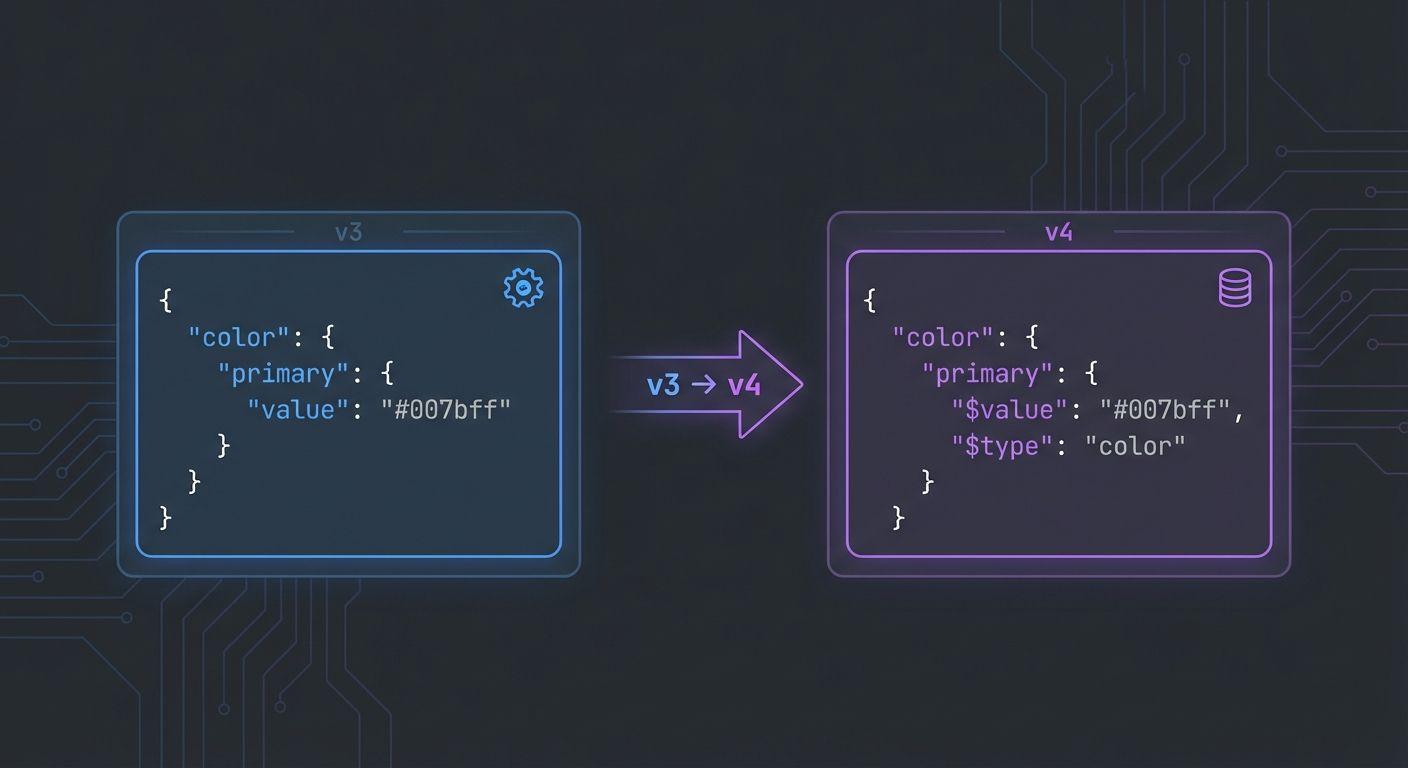
When I built the Design Token Pipeline, I chose Style Dictionary v4 specifically because it adopted the W3C Design Token Community Group (DTCG) format. If you're coming from v3, the token file structure looks different enough to be confusing.
The v3 format (old)
Below is what a simple color token looked like in Style Dictionary v3:
{
  "color": {
    "primary": {
      "value": "#1a6cf6",
      "type": "color"
    }
  }
}
The v4 / W3C DTCG format (new)
In v4, Style Dictionary adopted the W3C DTCG format, which changes how token properties are named:
{
  "color": {
    "primary": {
      "$value": "#1a6cf6",
      "$type": "color",
      "$description": "Primary brand color used for CTAs and links"
    }
  }
}Why the W3C spec matters
The point of the DTCG format is interoperability. A token file in this format should be readable by any conforming tool — Style Dictionary, Theo, Tokens Studio, future Figma exports, whatever comes next.
By standardizing on the DTCG shape, you avoid lock-in to a single tool and make it easier to evolve your design token pipeline over time.
Migrating from v3 to v4
Style Dictionary provides a convertToDTCG utility that does the mechanical conversion from the old format to the new one. That takes care of renaming value → $value, type → $type, and description → $description across your token files.
However, you also need to update any custom transforms and formats that read token.value directly — they now need to read token.$value instead.
// In a custom transform
module.exports = {
  name: "color/uppercase-hex",
  type: "value",
  matcher: (token) => token.$type === "color",
  transformer: (token) => token.$value.toUpperCase(),
};